
Personal verification link
The applicant receives a link to a page made for their verification. There are three options:- Generic link: a one-time tokenized link. It expires after the time set in Settings → SDK Configuration → Verification link expiration (12 hours unless changed).
- Enriched link: a tokenized link with extra data. You can add your internal ID, prefill the form, define success and error redirects, and preset the language and expiration.
- Public link: the same openly available URL for all applicants. See Public link.
Generic link
To get the link through the API, send a request with the parametername, your flow name:
Enriched link
Add your own data to the same request:Parameters
The
onComplete redirect means the applicant finished; the decision arrives on your backend by webhook or API.
Create a link in the Backoffice
The enriched link builder has these fields:
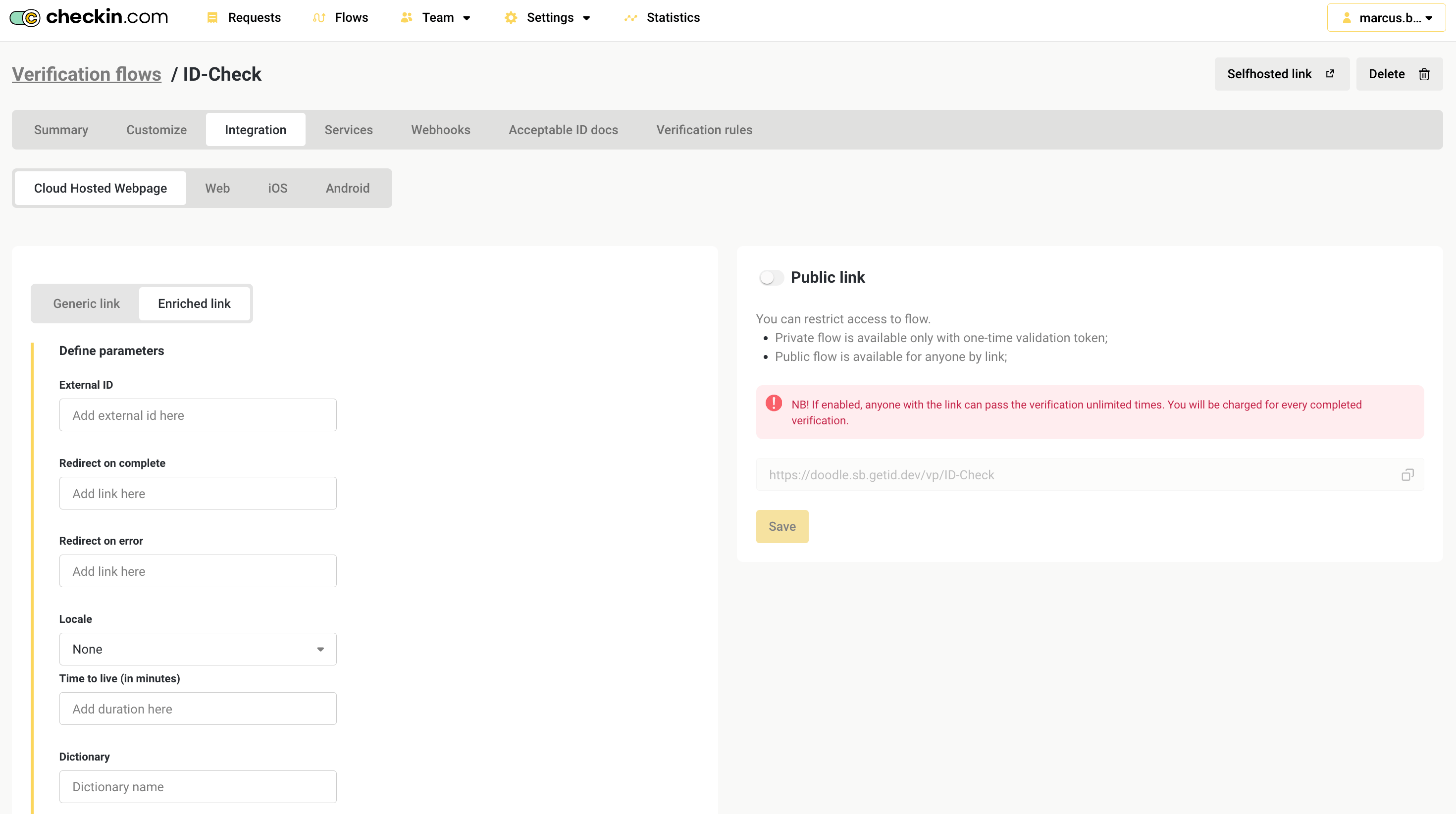
Integration → Cloud Hosted Webpage → Enriched link, with the Public link toggle on the right
Public link
In Flows → [flow name] → Integration → Cloud Hosted Webpage, the Public link toggle restricts access to the flow:- Private flow: available only with a one-time validation token.
- Public flow: available to anyone with the link.